Log it from your wrist. Ellie remembers.
Record a voice note, mark a dose as taken, or call someone on the care team without reaching for your phone. It all goes into the person’s plan, where Ellie can use it.
Needs the Eleplan app on your iPhone. Apple Watch pairs with iPhone, so it isn’t available on Android.
A small Eleplan, on your wrist.
The Eleplan watch app shows the plans you’re part of and a few screens for what caregivers do all day: say something you don’t want to forget, see what’s already been noted, mark doses taken, and reach the people on the care team. It works with the Eleplan app on your iPhone, so what you do on your wrist is in the plan when you open the app.
Swipe to what you need.
- 01
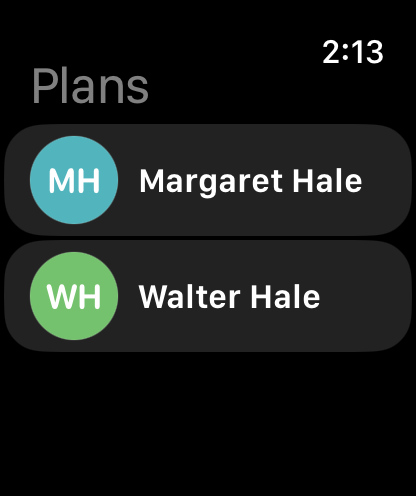
Pick a plan
Every plan you’re part of is on the watch. Tap one and it opens on Record. Swipe sideways for the other screens.
- 02
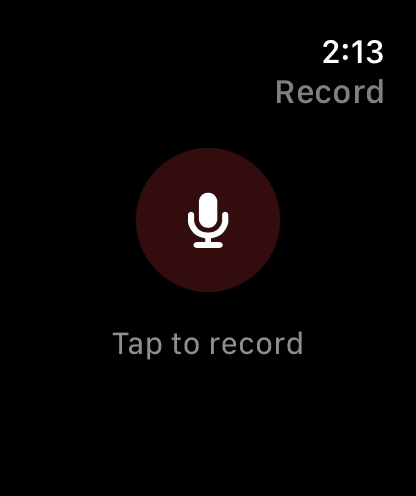
Record a note
Tap the microphone, say it, tap to stop. Listen back, then send or discard. The watch tells you when it’s saved: Sent, Saved on iPhone, or Queued if your phone isn’t nearby yet.
- 03
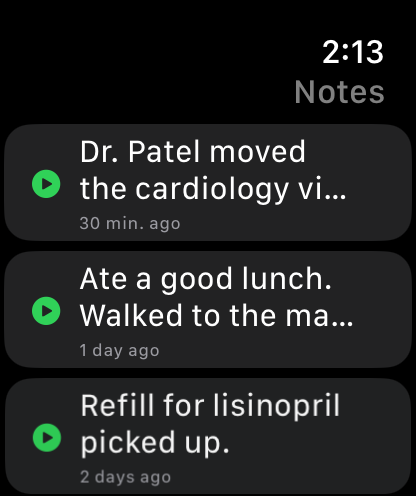
See the notes
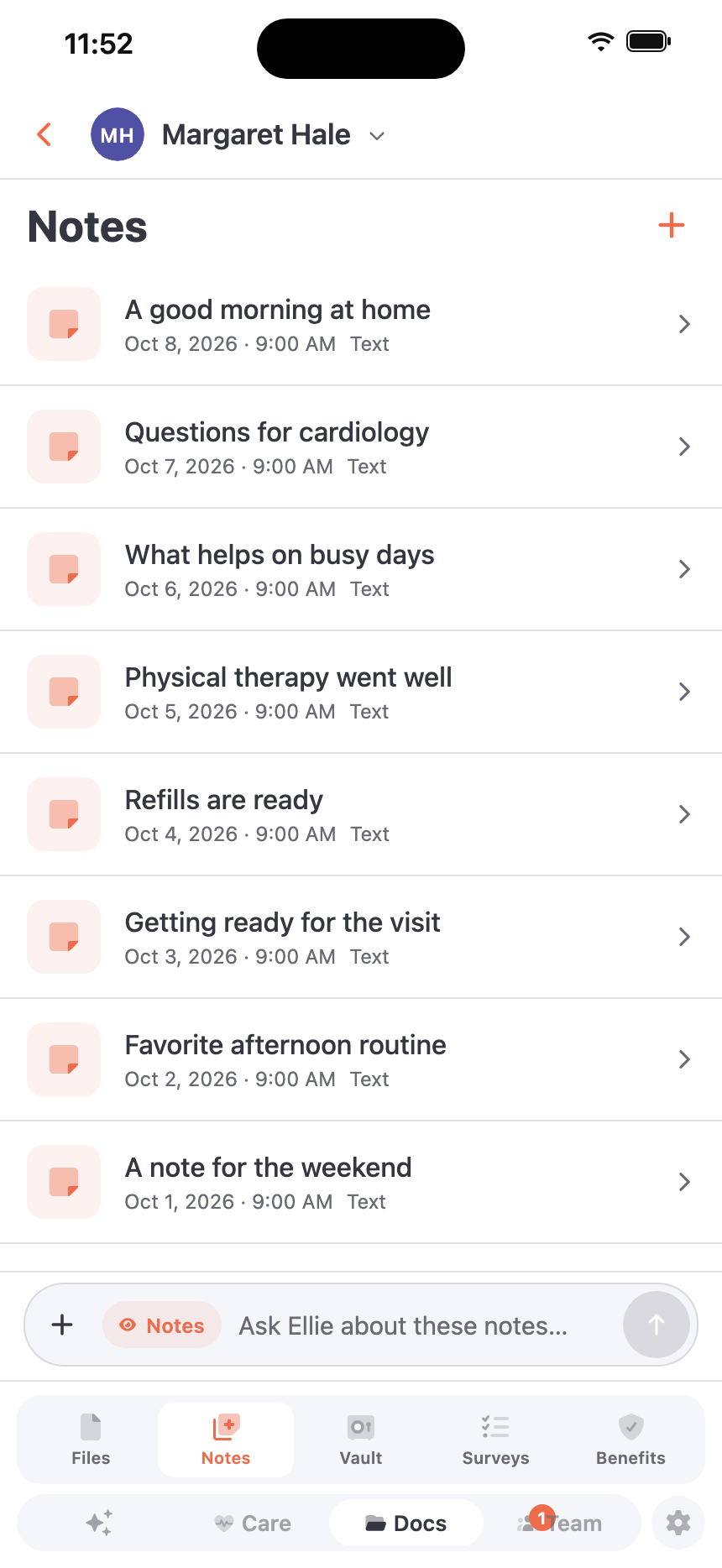
The plan’s notes, newest first. Tap one that has a recording to hear it.
- 04
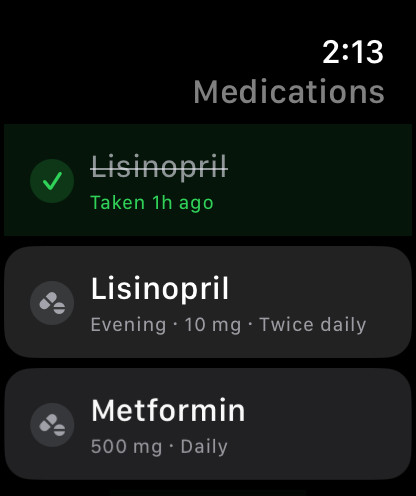
Mark doses taken
One row per dose, so a medicine taken twice a day has two. Tap to mark it taken, tap again to undo. A dose shows as taken once your phone confirms it’s saved, the same record the Medications screen in the app uses.
- 05
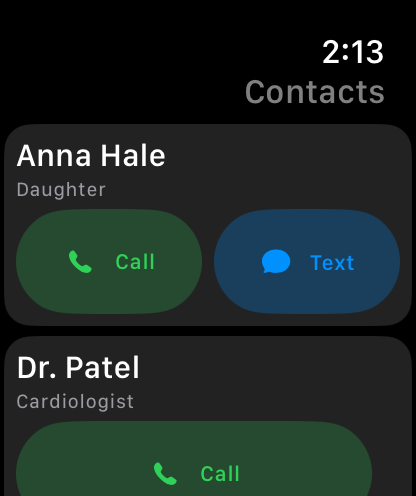
Reach the care team
The plan’s contacts with a Call button, and a Text button for the ones you can message. Apple Watch places the call.
Five minutes, on your iPhone.
The watch app comes with Eleplan on your iPhone. You turn it on once, in Settings.
- 01
Get Eleplan on your iPhone
Install it from the App Store and sign in. Eleplan for Apple Watch is part of the same app.
- 02
Put it on your watch
Open the Watch app on your iPhone, find Eleplan and tap Install, if it isn’t on your watch already.
- 03
Turn on Watch Companion
In Eleplan, open Settings, then Apple Watch, then Watch Companion. Switch on Enable Watch Companion.
- 04
Choose your screens
Under Watch Screens, pick which screens show on the watch. Record and Notes are always there. A change reaches the watch on its next sync.
- 05
Open Eleplan on your watch
Pick a plan and swipe. If the watch says to open Eleplan on your iPhone, open the app once and it connects.
What Ellie does with it.
Nothing on the watch is a side channel. Notes and doses go into the same plan Ellie reads when you ask her anything, so she knows about them the next time you talk.
A spoken note becomes a note she can read
Eleplan turns the recording into text and a short summary and saves it to the plan’s Notes. Ask Ellie what was said about a visit, a refill or a bad afternoon, and she can look it up. Your iPhone shows the summary when it’s ready, with a button to open it in Notes.
Taken doses are part of the record
Marking a dose on the watch saves it the same way as in the app. Ellie can see which doses were taken and on which days when you ask about them.
Nothing gets lost on the way
Your phone keeps each recording until it’s uploaded, and tries again if the connection drops. Send the same note twice by accident and it’s saved once.
Good questions.
Does my iPhone have to be nearby?
For the freshest plans and doses, yes. If it isn’t, a note you record waits in line and is delivered when your phone is back, and the watch says Queued. A dose you tap shows as waiting for your iPhone until it’s saved.
Can I hide screens I don’t use?
Yes. In Eleplan, open Settings, then Apple Watch, and switch screens off under Watch Screens. Record and Notes always stay.
Does it work on Android?
No. Apple Watch pairs with an iPhone, and the watch settings are in the iPhone app.
Where do my watch notes go?
Into the plan you picked on the watch, in Notes, the same place as a note you write in the app.
Say it once on your wrist. Ellie has it for next time.